


Features
-
AI Conversations Analytics
Added a dedicated analytics page for AI conversations, allowing administrators to review AI interactions without relying on external reporting tools. Conversations are grouped by session and can be filtered, exported, and explored in detail.- Conversation Sessions Overview
View AI conversations grouped by Conversation ID, including session start date, last activity, AI Agent, ticket information, and the number of Q&A pairs.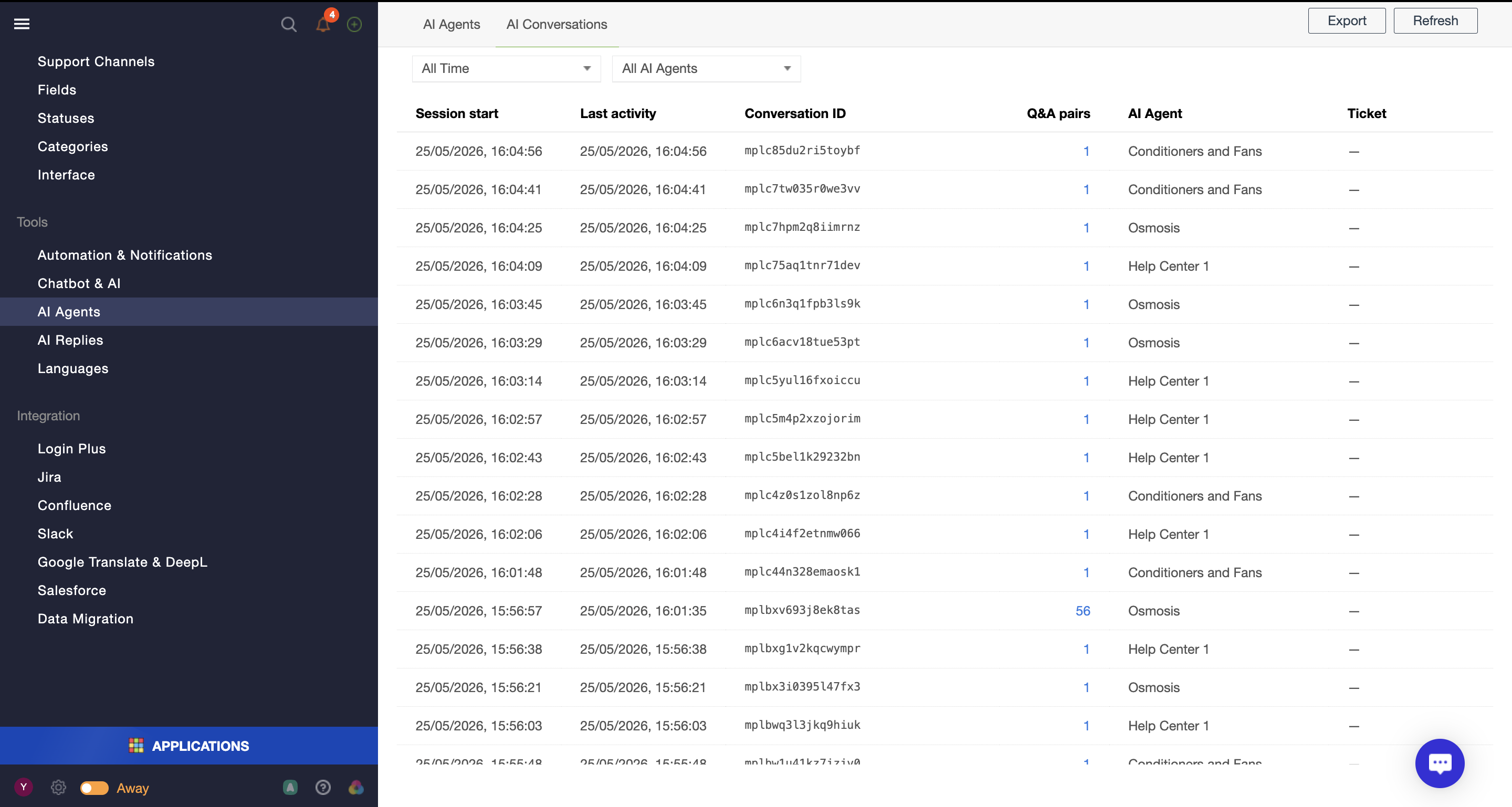
- Q&A Session Drill-Down
Open any conversation session to review all questions and answers, including linked knowledge base sources and generated responses.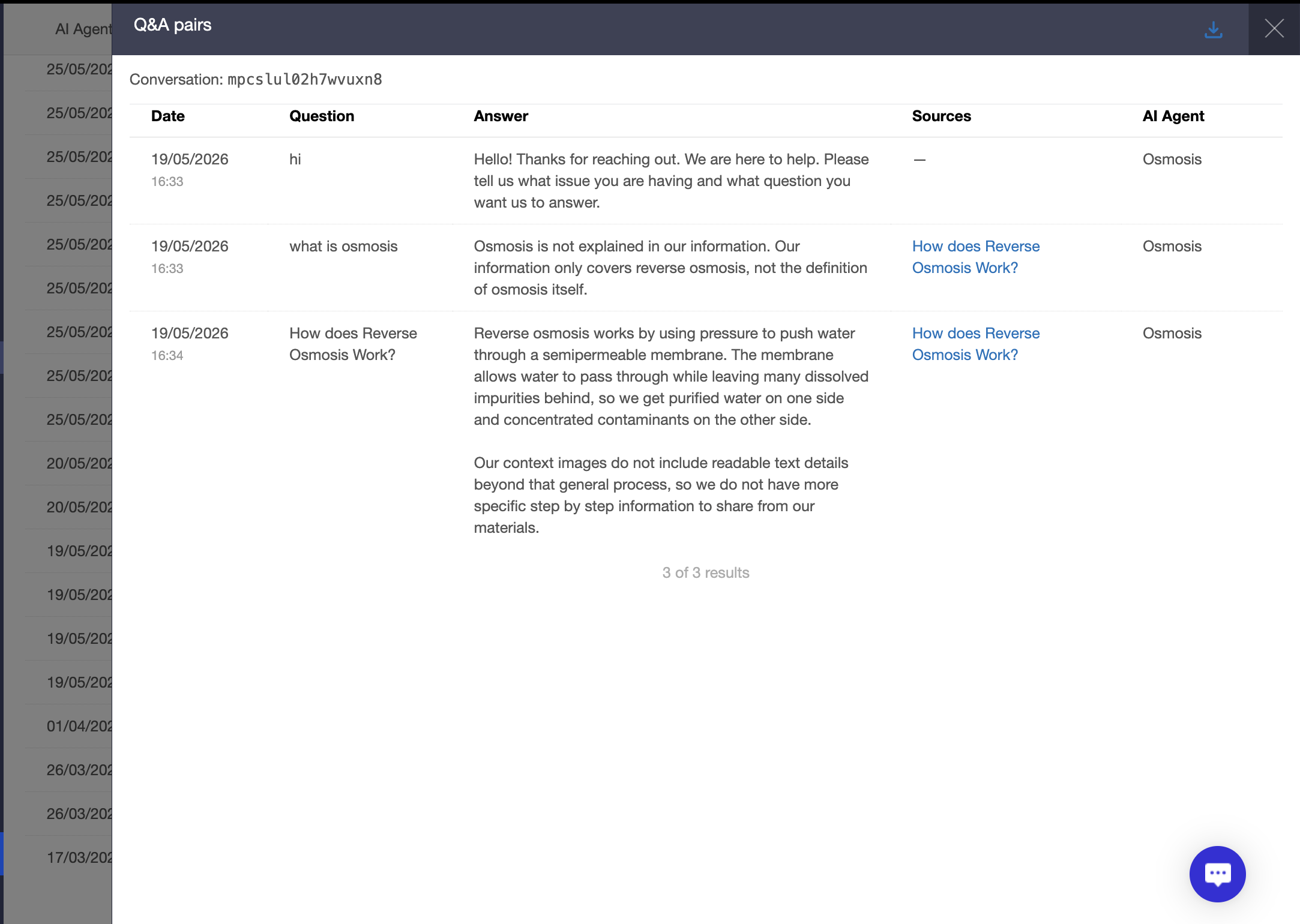
- Filtering and Export
Filter conversations by AI Agent and date range, refresh results, and export conversation data for further analysis.
- Conversation Sessions Overview
- Configurable File Upload Step in Forms
File uploads can now be added as a dedicated step in forms instead of being tied to the Description field. This gives administrators more flexibility when collecting supporting documents from users.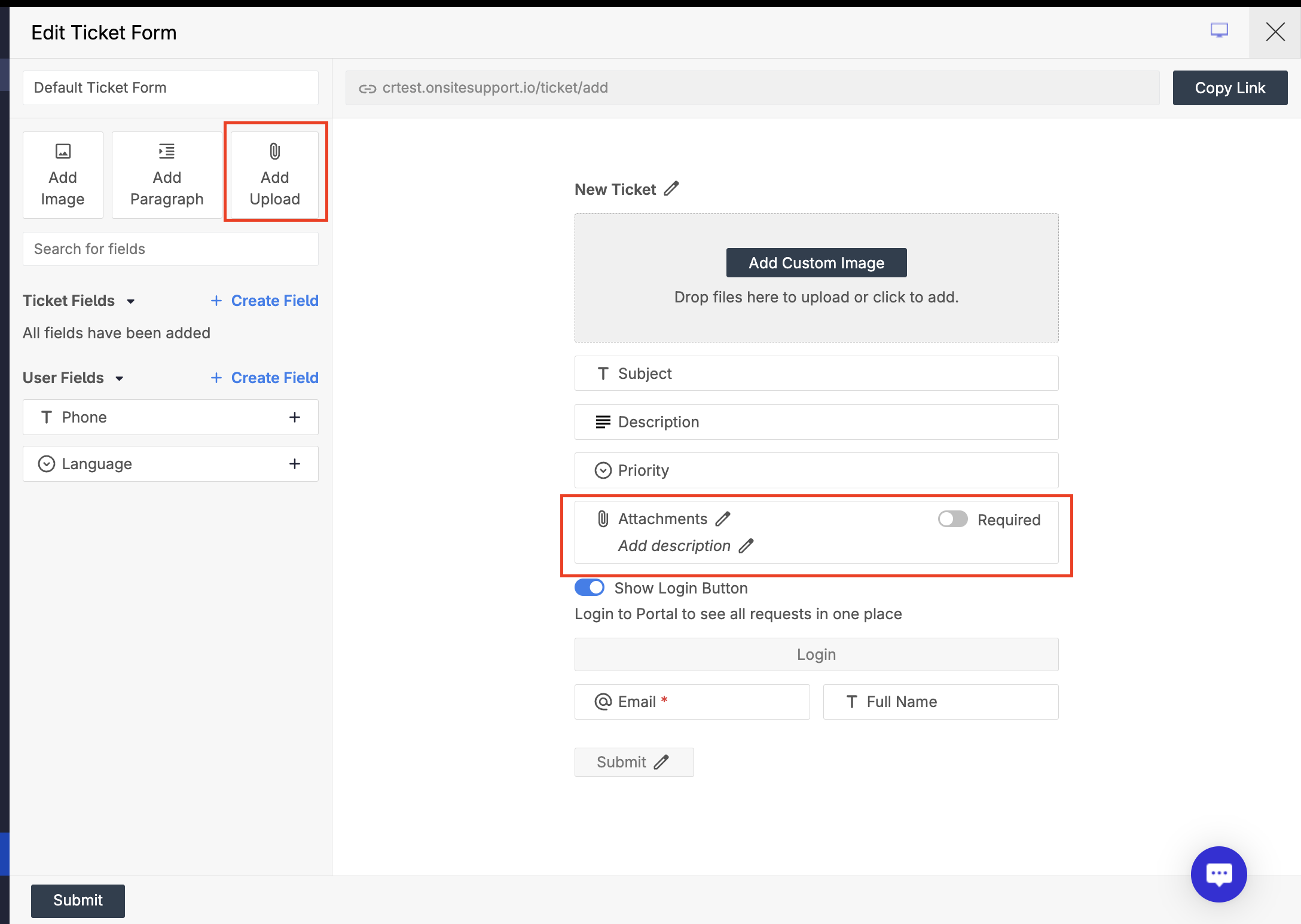
- Separate Attachment Block
Add an attachment upload step anywhere in the form builder without using a custom field. - Required or Optional Uploads
Configure file uploads as required or optional depending on the form requirements. - Cleaner Form Experience
Attachments remain associated with the first customer message while being managed independently from the Description field.
- Separate Attachment Block
- Independent Moderation Settings for Topics and Comments
Community administrators can now manage moderation rules for topics and comments separately. This allows communities to moderate new topics while publishing comments automatically.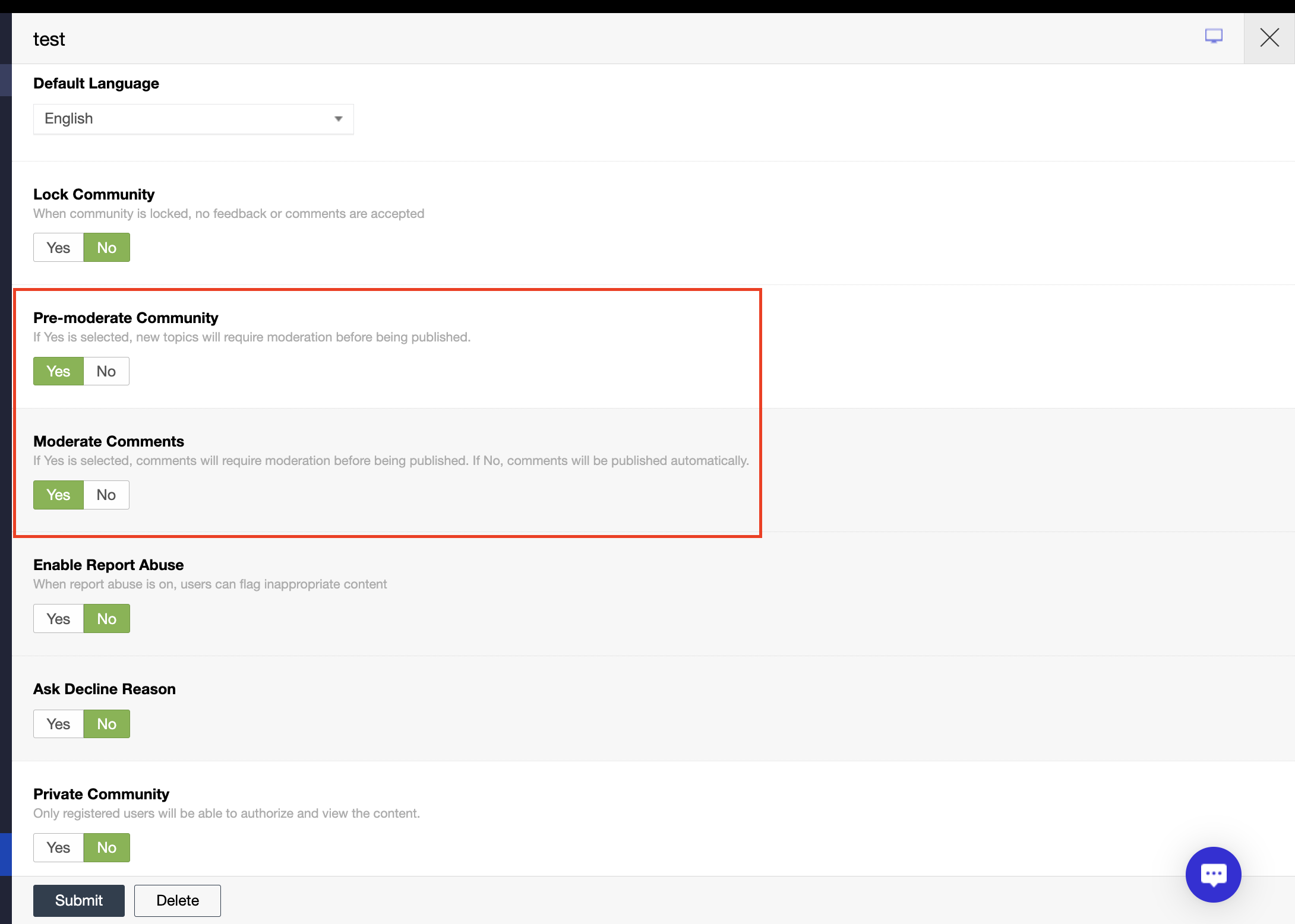
- Topic Moderation Control
The existing Pre-moderate Community setting now applies specifically to topics. - Comment Moderation Control
A new Moderate Comments setting allows administrators to decide whether comments require approval before publication.
- Topic Moderation Control
- Sorting Support for Kanban Boards
Kanban boards now support configurable sorting, bringing them in line with View sorting functionality while preserving manual drag-and-drop organization.- Configurable Board Sorting
Define default sorting rules directly in board settings using the same sorting options available in Views.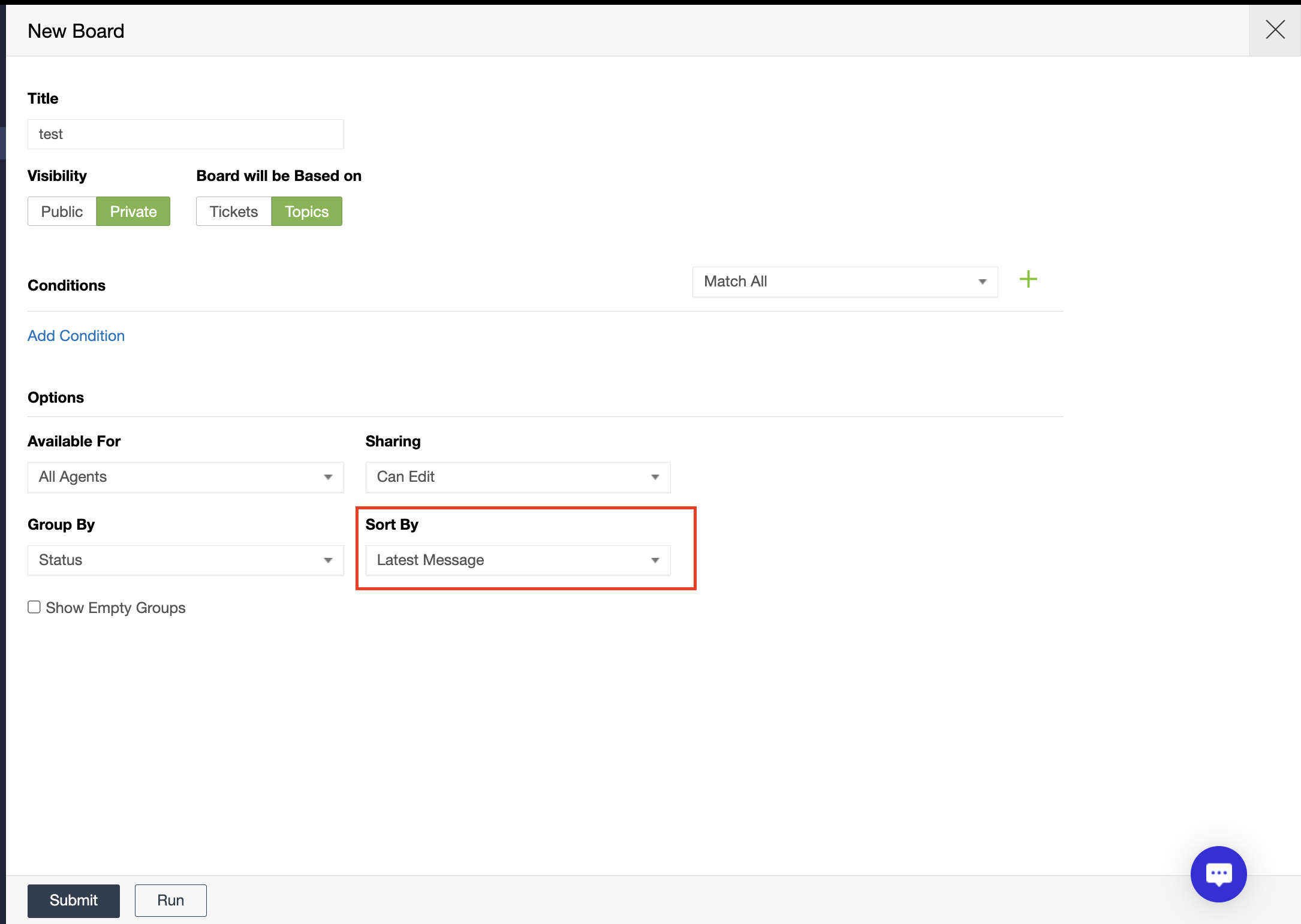
- Manual Order Mode
When objects are reordered manually, the board automatically switches to a shared Manual Order mode, preserving the arrangement across all agents.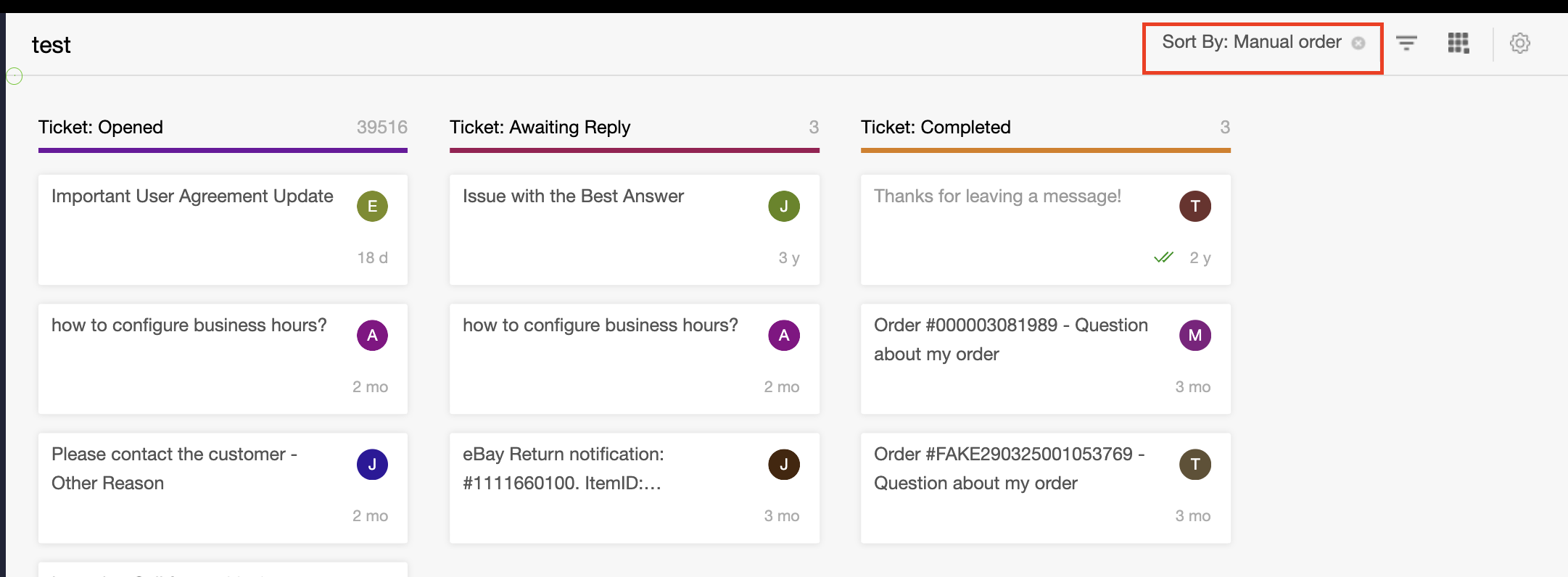
- Quick Return to Default Sorting
Exit Manual Order mode at any time to restore the board's default sorting configuration.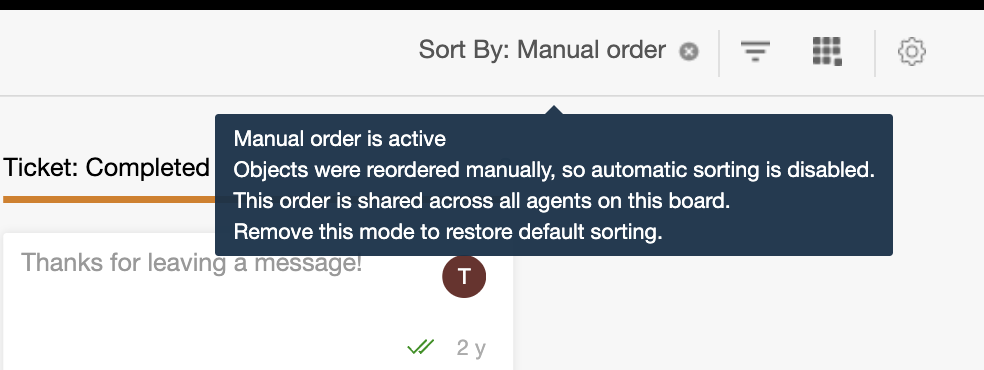
- Configurable Board Sorting
- Assign Knowledge Base Content to AI Agents
Knowledge Base articles and FAQs can now be linked directly to one or multiple AI agents. This makes it easier to manage which content is used by each AI agent for answering customer questions.- Related AI Agents Selection
Select one or multiple AI agents directly from the article or FAQ create/edit screen.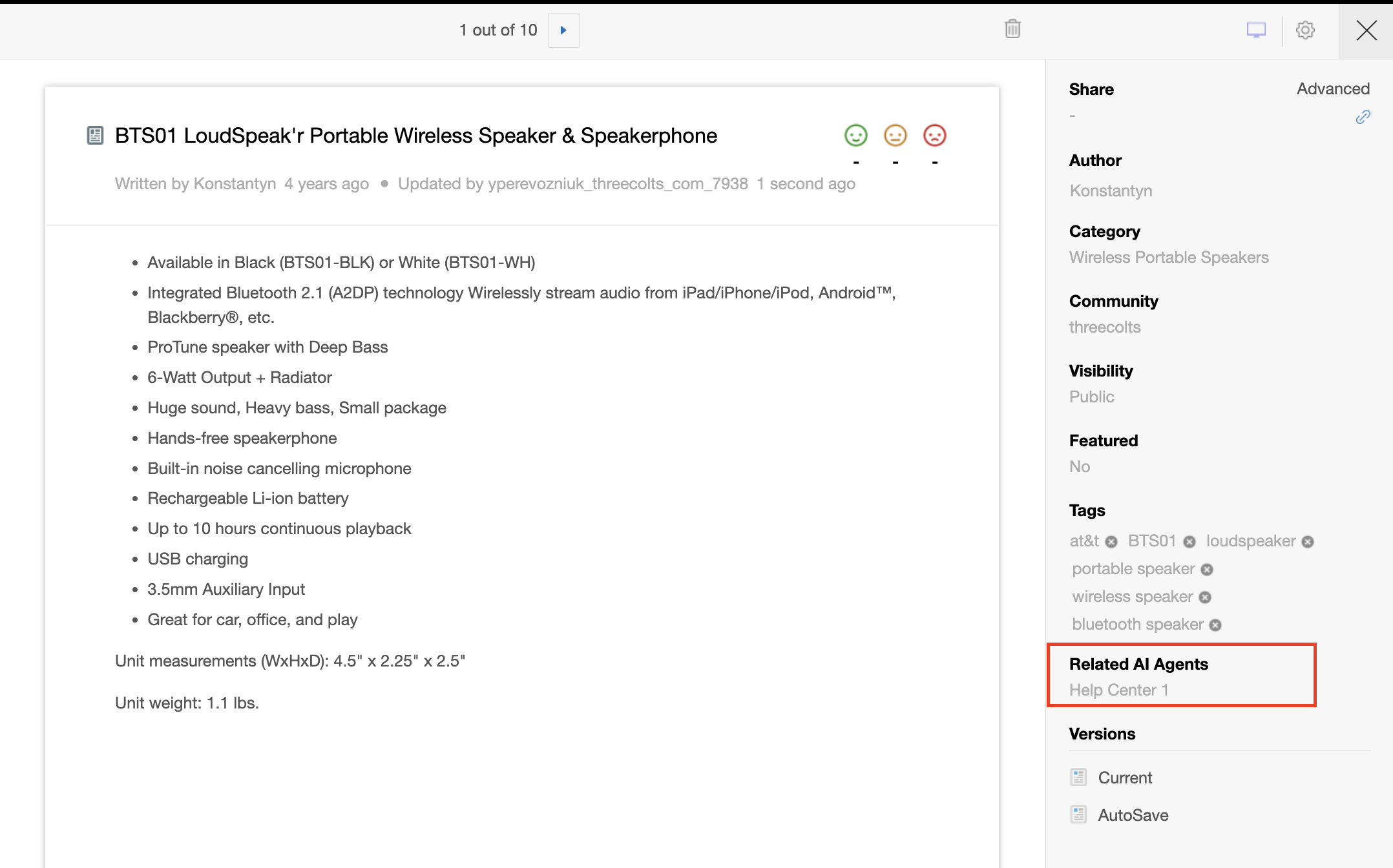
- Search and Multi-Select Support
Quickly find agents using search and assign content to multiple AI agents at once. - Bidirectional Visibility
Assigned content appears in the AI agent knowledge list, while linked AI agents are displayed within the article or FAQ settings.
- Related AI Agents Selection
Improvements
- Analytics Improvements
Improved analytics reliability and usability, including better handling of completed object calculations, widget rendering, and filter usability. - Activity Log Enhancements
Activity logs now display CC recipients when tickets are created by agents and provide clearer system messaging. - Ticket Assignment Handling
Improved assignment behavior when agents or administrators are removed from the system. - Mailing Log Improvements
Added filtering capabilities and improved navigation between emails and related objects.
Bugs
- Fixed an issue where tickets were not being delivered to customers.
- Fixed analytics widgets failing to display data in some cases.
- Fixed incorrect data displayed in Analytics doughnut charts.
- Fixed activity logs showing inaccurate information.
- Fixed object drafts occasionally reappearing in the editor.
- Fixed replies not appearing correctly in some tickets.
- Fixed metrics list scrolling issues when creating Analytics widgets.
- Fixed incorrect links in email digests.
- Fixed issues preventing agents from entering replies.
- Fixed ticket counter inconsistencies across reports and widgets.
- Fixed UI issues in agent interfaces and Kanban boards.
- Fixed issues affecting email delivery and notification processing.